



Pada artikel sebelumnya, kita sudah membahas mengapa prinsip 3-2-1 backup menjadi standar emas dalam melindungi data digital: tiga salinan, dua media berbeda, dan simpan salah satu salinan di lokasi terpisah.

Rekomendasi aplikasi inovatif yang mempermudah kehidupan.
Aplikasi3 days ago
Pada artikel sebelumnya, kita sudah membahas mengapa prinsip 3-2-1 backup menjadi standar emas dalam melindungi data digital: tiga salinan, dua media berbeda, dan simpan salah satu salinan di lokasi terpisah.
Aplikasi2 months ago
Kalkulator. Sebuah kata yang sederhana, namun penuh makna. Dulu, kalkulator identik dengan alat kecil berisi tombol angka, dipakai untuk menghitung cepat. Kini, di era digital, kalkulator telah berevolusi menjadi aplikasi
Aplikasi2 months ago
Bayangkan sebuah kecerdasan buatan yang bukan hanya bisa menjawab pertanyaan serius, tapi juga bisa menertawakan absurditas dunia digital — tanpa kehilangan akurasi. Inilah Grok, AI dari Elon Musk yang tidak
Artificial Intelligence2 months ago
Selama dua dekade terakhir, Wikipedia telah menjadi simbol pengetahuan digital terbuka. Namun, di tengah meningkatnya kekhawatiran akan bias ideologis dan manipulasi narasi, muncul alternatif baru yang berani menantang dominasi tersebut:
Teknologi4 months ago
Pendahuluan: Teknologi yang Mendekatkan Kita ke Alam Panduan ini ditujukan bagi pecinta alam yang ingin mengenali flora dan fauna secara real-time menggunakan AI Copilot—pendamping digital yang responsif dan mudah digunakan
Aplikasi4 months ago
Emoji sudah menjadi bagian tak terpisahkan dari komunikasi digital. Kita menggunakannya untuk menyampaikan emosi, memperjelas maksud, atau sekadar menambahkan sentuhan visual yang menyenangkan. Tapi tahukah kamu bahwa emoji bukanlah gambar?

Karir4 months ago
Di era yang terus berubah ini, satu hal menjadi semakin jelas: kebutuhan untuk terus belajar adalah sebuah keharusan, bukan lagi pilihan. Keterampilan yang kita banggakan kemarin bisa jadi sudah usang

Aplikasi4 months ago
Apakah Anda sudah tahu tentang Read Along by Google? Jika belum, ini adalah aplikasi edukasi gratis yang tidak boleh dilewatkan. Sebagai orang tua, kita semua tahu betapa sulitnya menemukan keseimbangan
Artificial Intelligence5 months ago
Pernahkah Anda membuka album foto lama yang sudah menguning, penuh dengan kenangan tetapi terhalang oleh goresan, noda, atau warna yang memudar? Ada kerinduan untuk melihat dengan jelas senyum kakek-nenek saat
Sosial & Budaya5 months ago
Pernah nggak sih kamu buka aplikasi, lalu langsung klik tiga garis di pojok kiri atas? Atau tiga titik di kanan atas? Kita semua sering melakukannya. Tapi… tahu nggak nama ikon-ikon
Inovasi Teknologi7 months ago
Di era digital yang serba cepat ini, teknologi telah meresap ke hampir setiap aspek kehidupan kita, termasuk cara kita memandang dan merawat kesehatan. Salah satu bidang yang paling menjanjikan adalah

Aplikasi11 months ago
Komputer Windows 11 Anda adalah jantung dari berbagai aktivitas sehari-hari, seperti bekerja, belajar, hingga bersantai. Namun, seperti halnya perangkat teknologi lainnya, performa komputer dapat menurun seiring waktu. Penyebabnya beragam, termasuk
Artificial Intelligence11 months ago
Di era digital yang serbacepat ini, kecerdasan buatan (AI) telah menjadi bagian tak terpisahkan dari kehidupan kita. Salah satu AI yang paling inovatif dan bermanfaat adalah Microsoft Copilot (https://copilot.microsoft.com/). Copilot
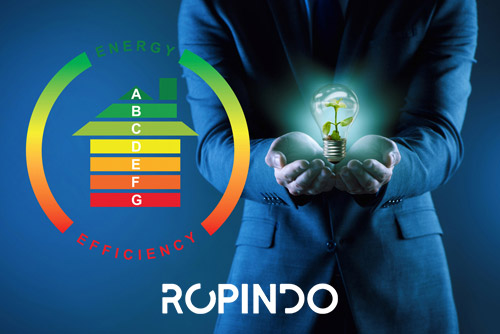
Solusi Hemat Energi untuk Gedung.
Sedang mencari sistem yang mudah, hemat biaya, hemat energi, ramah lingkungan, dan revolusioner?
Anda baru saja menemukannya: ROPINDO.
ROPINDO menghadirkan Building Energy Management Systems (BEMS) inovatif yang cocok untuk semua jenis bangunan - yang telah terbukti menurunkan biaya listrik secara signifikan sekaligus meningkatkan efisiensi operasional.
Dukung misi kami menghadirkan konten edukatif, reflektif, dan penuh semangat positif.
Anda bisa berdonasi langsung melalui tombol kontribusi Google di bawah ini.
12
13
10
39
5
22
13
24
29
9
26
9
26
34
17
188
17
41
24
40
45
24
25
61
209
114
9
22
6
38
33
65
22
219
140
158
78
111
78
28
14
31
Dukung misi kami menghadirkan konten edukatif, reflektif, dan penuh semangat positif.
Anda bisa berdonasi langsung melalui tombol kontribusi Google di bawah ini.


Dukung misi kami menghadirkan konten edukatif, reflektif, dan penuh semangat positif.
Anda bisa berdonasi langsung melalui tombol kontribusi Google di bawah ini.
DUS
We firmly believe that the internet should be available and accessible to anyone, and are committed to providing a website that is accessible to the widest possible audience, regardless of circumstance and ability.
To fulfill this, we aim to adhere as strictly as possible to the World Wide Web Consortium’s (W3C) Web Content Accessibility Guidelines 2.1 (WCAG 2.1) at the AA level. These guidelines explain how to make web content accessible to people with a wide array of disabilities. Complying with those guidelines helps us ensure that the website is accessible to all people: blind people, people with motor impairments, visual impairment, cognitive disabilities, and more.
This website utilizes various technologies that are meant to make it as accessible as possible at all times. We utilize an accessibility interface that allows persons with specific disabilities to adjust the website’s UI (user interface) and design it to their personal needs.
Additionally, the website utilizes an AI-based application that runs in the background and optimizes its accessibility level constantly. This application remediates the website’s HTML, adapts Its functionality and behavior for screen-readers used by the blind users, and for keyboard functions used by individuals with motor impairments.
If you’ve found a malfunction or have ideas for improvement, we’ll be happy to hear from you. You can reach out to the website’s operators by using the following email
Our website implements the ARIA attributes (Accessible Rich Internet Applications) technique, alongside various different behavioral changes, to ensure blind users visiting with screen-readers are able to read, comprehend, and enjoy the website’s functions. As soon as a user with a screen-reader enters your site, they immediately receive a prompt to enter the Screen-Reader Profile so they can browse and operate your site effectively. Here’s how our website covers some of the most important screen-reader requirements, alongside console screenshots of code examples:
Screen-reader optimization: we run a background process that learns the website’s components from top to bottom, to ensure ongoing compliance even when updating the website. In this process, we provide screen-readers with meaningful data using the ARIA set of attributes. For example, we provide accurate form labels; descriptions for actionable icons (social media icons, search icons, cart icons, etc.); validation guidance for form inputs; element roles such as buttons, menus, modal dialogues (popups), and others. Additionally, the background process scans all the website’s images and provides an accurate and meaningful image-object-recognition-based description as an ALT (alternate text) tag for images that are not described. It will also extract texts that are embedded within the image, using an OCR (optical character recognition) technology. To turn on screen-reader adjustments at any time, users need only to press the Alt+1 keyboard combination. Screen-reader users also get automatic announcements to turn the Screen-reader mode on as soon as they enter the website.
These adjustments are compatible with all popular screen readers, including JAWS and NVDA.
Keyboard navigation optimization: The background process also adjusts the website’s HTML, and adds various behaviors using JavaScript code to make the website operable by the keyboard. This includes the ability to navigate the website using the Tab and Shift+Tab keys, operate dropdowns with the arrow keys, close them with Esc, trigger buttons and links using the Enter key, navigate between radio and checkbox elements using the arrow keys, and fill them in with the Spacebar or Enter key.Additionally, keyboard users will find quick-navigation and content-skip menus, available at any time by clicking Alt+1, or as the first elements of the site while navigating with the keyboard. The background process also handles triggered popups by moving the keyboard focus towards them as soon as they appear, and not allow the focus drift outside it.
Users can also use shortcuts such as “M” (menus), “H” (headings), “F” (forms), “B” (buttons), and “G” (graphics) to jump to specific elements.
We aim to support the widest array of browsers and assistive technologies as possible, so our users can choose the best fitting tools for them, with as few limitations as possible. Therefore, we have worked very hard to be able to support all major systems that comprise over 95% of the user market share including Google Chrome, Mozilla Firefox, Apple Safari, Opera and Microsoft Edge, JAWS and NVDA (screen readers).
Despite our very best efforts to allow anybody to adjust the website to their needs. There may still be pages or sections that are not fully accessible, are in the process of becoming accessible, or are lacking an adequate technological solution to make them accessible. Still, we are continually improving our accessibility, adding, updating and improving its options and features, and developing and adopting new technologies. All this is meant to reach the optimal level of accessibility, following technological advancements. For any assistance, please reach out to