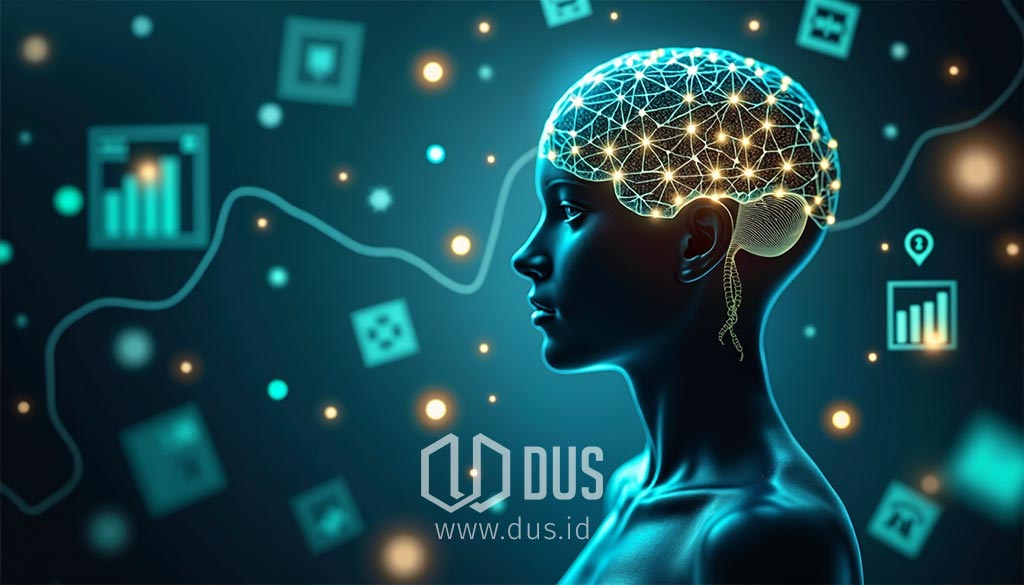
Otak manusia, sebuah labirin pikiran yang penuh misteri, terus menjadi tantangan bagi para ilmuwan. Organ seberat sekitar 1,4 kilogram ini adalah pusat kendali dari segala aspek kehidupan kita. Bayangkan otak seperti komputer pusat yang mengendalikan semua fungsi tubuh kita. Dari pikiran dan emosi hingga tindakan dan ingatan, semuanya berakar pada jaringan neuron yang sangat kompleks di dalam organ ini. Neurosains, ilmu yang mempelajari sistem saraf, hadir untuk mengungkap misteri yang tersembunyi di balik kerumitan otak manusia.
Struktur Otak – Arsitektur Keajaiban
Otak manusia terdiri dari tiga bagian utama, masing-masing dengan peran uniknya.
Otak Besar (Serebrum)
Bagian terbesar dari otak, seperti “otak berpikir” kita. Terbagi menjadi dua bagian, yaitu hemisfer kiri dan kanan, yang dihubungkan oleh “jembatan” bernama korpus kalosum.
Setiap hemisfer dibagi lagi menjadi empat lobus, seperti empat “lorong” dalam labirin yang memiliki fungsi masing-masing.
Lobus Frontal. Seperti “kantor pusat” yang mengatur pengambilan keputusan, perencanaan, dan pemecahan masalah. Di lobus ini juga terdapat area khusus yang mengatur kemampuan bahasa kita, yaitu area Broca dan Wernicke. Bagian terdepan lobus frontal, korteks prefrontal, adalah “manajer eksekutif” yang mengatur fungsi-fungsi kognitif tingkat tinggi.
Lobus Parietal. Seperti “pusat sensorik” yang menerima dan memproses informasi tentang sentuhan, suhu, dan rasa sakit dari seluruh tubuh.
Lobus Temporal. Seperti “pusat pendengaran dan memori” yang memproses suara dan membantu kita mengingat informasi.
Lobus Oksipital. Seperti “pusat penglihatan” yang memproses informasi visual dari mata.
Hemisfer kiri lebih dominan dalam kemampuan bahasa dan logika, sedangkan hemisfer kanan lebih dominan dalam kemampuan visual-spasial dan kreativitas.
Otak Kecil (Serebelum)
Terletak di bagian belakang otak, seperti “koordinator gerakan” yang mengatur keseimbangan dan koordinasi gerakan tubuh.
Selain itu, serebelum juga berperan dalam mempelajari gerakan-gerakan halus, seperti bermain musik atau menulis, dan juga terlibat dalam fungsi kognitif seperti perhatian dan memori kerja.
Batang Otak
Seperti “jembatan penghubung” yang menghubungkan otak besar dan otak kecil ke sumsum tulang belakang.
Hubungan dengan Sumsum Tulang Belakang
Sumsum tulang belakang adalah perpanjangan dari batang otak yang membentang ke bawah sepanjang tulang belakang.
Batang otak berfungsi sebagai penghubung utama antara otak dan sumsum tulang belakang, memungkinkan komunikasi dua arah yang vital.
Informasi dari seluruh tubuh, seperti sensasi sentuhan dan rasa sakit, dikirimkan ke otak melalui sumsum tulang belakang dan batang otak.
Sebaliknya, perintah dari otak untuk menggerakkan otot atau mengatur fungsi tubuh lainnya dikirimkan ke sumsum tulang belakang melalui batang otak.
Fungsi tambahan dari sumsum tulang belakang yaitu: sebagai pusat gerak refleks dan menghantarkan impuls saraf dari dan menuju otak.
Fungsi Utama Batang Otak
Mengatur fungsi-fungsi vital yang tidak kita sadari, seperti pernapasan, detak jantung, dan tekanan darah.
Terdiri dari tiga bagian: otak tengah, pons, dan medula oblongata, yang masing-masing memiliki fungsi spesifik dalam mengatur fungsi-fungsi vital tersebut.
Sistem aktivasi retikuler di batang otak berperan seperti “saklar kesadaran” yang mengatur tingkat kewaspadaan kita.
Komunikasi dalam Otak – Bahasa Neuron dan Sinapsis
Neuron. Sel-sel saraf yang merupakan “pembawa pesan” di dalam otak. Mereka berkomunikasi satu sama lain melalui sinapsis.
Sinapsis. Seperti “titik pertemuan” antara dua neuron, tempat sinyal listrik diubah menjadi sinyal kimiawi (neurotransmiter) untuk dikirimkan ke neuron berikutnya.
Neurotransmiter. Zat kimia seperti dopamin, serotonin, dan GABA, yang berperan seperti “pesan” yang dikirimkan melalui “lorong-lorong” labirin otak. Mereka mengatur berbagai fungsi otak, seperti suasana hati, motivasi, dan tidur.
Plastisitas Sinaptik. Kemampuan sinapsis untuk berubah dan beradaptasi, seperti “kemampuan belajar” sinapsis. Ini adalah dasar dari pembelajaran dan memori.
Terdapat berbagai jenis neuron, seperti neuron sensorik yang membawa informasi dari indra ke otak, dan neuron motorik yang membawa perintah dari otak ke otot.
Plastisitas Otak dan Neurogenesis – Kemampuan Adaptasi yang Luar Biasa
Plastisitas Otak. Kemampuan otak untuk berubah dan beradaptasi sepanjang hidup, seperti “kemampuan otak untuk belajar dan tumbuh”. Ini memungkinkan kita untuk belajar hal-hal baru, pulih dari cedera otak, dan mengubah kebiasaan.
Neurogenesis. Pembentukan neuron baru, terutama di hipokampus, seperti “pembentukan sel-sel otak baru”. Ini penting untuk pembentukan memori baru.
Aktivitas seperti olahraga, meditasi, dan pembelajaran dapat meningkatkan plastisitas otak dan neurogenesis. Plastisitas otak tetap ada pada usia lanjut, sehingga orang dewasa yang lebih tua tetap mampu belajar dan meningkatkan fungsi kognitif mereka.
Terobosan Terbaru – Mengintip Keajaiban Otak Melalui Lensa Penelitian Mutakhir
Sumbu Usus-Otak. Penelitian menunjukkan bahwa mikrobioma usus (bakteri baik di usus) dapat memengaruhi kesehatan otak melalui “jalur komunikasi” yang disebut sumbu usus-otak. Ketidakseimbangan mikrobioma dapat berkontribusi pada gangguan mental.
Peran Sel Glia. Sel glia, yang sebelumnya dianggap hanya sebagai “sel pendukung”, ternyata memiliki peran penting dalam fungsi kognitif dan kesehatan otak. Mereka terlibat dalam komunikasi antarneuron, pembersihan limbah otak, dan modulasi plastisitas sinaptik.
Plastisitas Otak pada Usia Lanjut. Otak orang dewasa yang lebih tua tetap memiliki kemampuan untuk berubah dan beradaptasi, sehingga tidak ada kata terlambat untuk belajar.
Tidur dan Pembersihan Otak. Tidur bukan hanya untuk istirahat, tetapi juga untuk “membersihkan” otak dari limbah metabolik dan mengkonsolidasikan memori. Setiap penemuan baru membuka lebih banyak pertanyaan, sehingga misteri otak semakin dalam.
Menjelajahi Batas-Batas Pikiran
Perjalanan kita ke dalam labirin otak manusia baru saja dimulai. Setiap penemuan baru dalam neurosains membuka pintu menuju pemahaman yang lebih dalam tentang diri kita sendiri. Otak, dengan segala kompleksitasnya, adalah sumber dari segala sesuatu yang membuat kita manusia. Meskipun kita telah membuat kemajuan besar, otak manusia tetap menjadi labirin pikiran yang penuh misteri, mengundang kita untuk terus menjelajah dan mengungkap rahasianya. Mari kita terus bertanya, terus belajar, dan terus menjelajahi keajaiban otak manusia.
✎ Artikel ini pertama kali terbit pada 9 Maret 2025 dan diperbarui pada 19 November 2026.
♥ Suka ulasan DUS? Dukunganmu bantu kami terus menyajikan tulisan yang dalam, utuh, dan saksama.
TUBUH & NUTRISITubuh bekerja tanpa henti, bahkan ketika kita tidak menyadarinya. Jantung berdetak, sel-sel memperbaiki diri, makanan diubah menjadi energi, dan berbagai sistem biologis bekerja sama menjaga kehidupan tetap berjalan. Semakin memahami cara tubuh bekerja, semakin mudah membuat pilihan kecil yang membawa dampak besar bagi kesehatan dan kualitas hidup.
JIWASebagian besar keputusan yang kita ambil setiap hari dipengaruhi oleh sesuatu yang tidak terlihat: pikiran, emosi, keyakinan, dan hubungan dengan orang lain. Memahami dunia batin sering kali sama pentingnya dengan memahami dunia di sekitar kita.
SAINSRasa ingin tahu telah membawa manusia melintasi samudra, meneliti kehidupan mikroskopis, hingga mengirim wahana ke luar angkasa. Dunia masih penuh pertanyaan menarik, dan setiap penemuan baru sering kali membuka lebih banyak pertanyaan daripada jawaban.
TEKNOLOGIPerubahan besar sering datang tanpa banyak suara. Internet mengubah cara manusia berkomunikasi. Ponsel pintar mengubah cara bekerja. Kini kecerdasan buatan mulai mengubah cara berpikir dan menciptakan sesuatu. Memahami teknologi berarti memahami salah satu kekuatan yang paling memengaruhi kehidupan modern.
GAYA HIDUPHidup bukan hanya tentang bertahan, tetapi juga tentang menikmati perjalanan. Ada tempat baru untuk dijelajahi, cita rasa untuk dicicipi, keterampilan untuk dipelajari, dan pengalaman yang membuat hari-hari terasa lebih kaya serta berwarna.
BISNISSetiap usaha bermula dari sebuah gagasan. Sebagian tumbuh menjadi karier, sebagian berkembang menjadi bisnis, dan sebagian lainnya mengubah cara orang bekerja serta menciptakan nilai. Dunia profesional terus bergerak, menghadirkan tantangan sekaligus peluang bagi mereka yang siap belajar dan beradaptasi.
INTERAKTIFTidak semua hal harus dipelajari dengan cara yang sama. Kadang sebuah kuis membuka wawasan baru, sebuah kalkulator membantu mengambil keputusan, atau sebuah alat sederhana membuat informasi yang rumit menjadi lebih mudah dipahami. Karena terkadang cara terbaik untuk memahami sesuatu bukanlah dengan membacanya, melainkan dengan mencobanya sendiri.
Loading
Signing-in 3 seconds...
Signing-up 3 seconds...
All fields are required.
Accessibility
Accessibility modes
Epilepsy Safe Mode
Dampens color and removes blinks
This mode enables people with epilepsy to use the website safely by eliminating the risk of seizures that result from flashing or blinking animations and risky color combinations.
Visually Impaired Mode
Improves website's visuals
This mode adjusts the website for the convenience of users with visual impairments such as Degrading Eyesight, Tunnel Vision, Cataract, Glaucoma, and others.
Cognitive Disability Mode
Helps to focus on specific content
This mode provides different assistive options to help users with cognitive impairments such as Dyslexia, Autism, CVA, and others, to focus on the essential elements of the website more easily.
ADHD Friendly Mode
Reduces distractions and improve focus
This mode helps users with ADHD and Neurodevelopmental disorders to read, browse, and focus on the main website elements more easily while significantly reducing distractions.
Blindness Mode
Allows using the site with your screen-reader
This mode configures the website to be compatible with screen-readers such as JAWS, NVDA, VoiceOver, and TalkBack. A screen-reader is software for blind users that is installed on a computer and smartphone, and websites must be compatible with it.
Online Dictionary
Readable Experience
Content Scaling
Default
Text Magnifier
Readable Font
Dyslexia Friendly
Highlight Titles
Highlight Links
Font Sizing
Default
Line Height
Default
Letter Spacing
Default
Visually Pleasing Experience
Dark Contrast
Light Contrast
Monochrome
High Contrast
High Saturation
Low Saturation
Adjust Text Colors
Adjust Title Colors
Adjust Background Colors
Easy Orientation
Reading Guide
Stop Animations
Reading Mask
Cognitive Reading
Text to Speech
Virtual Keyboard
Navigation Keys
Voice Navigation
Accessibility Statement
dus.id
November 21, 2026
Compliance status
We firmly believe that the internet should be available and accessible to anyone, and are committed to providing a website that is accessible to the widest possible audience,
regardless of circumstance and ability.
To fulfill this, we aim to adhere as strictly as possible to the World Wide Web Consortium’s (W3C) Web Content Accessibility Guidelines 2.1 (WCAG 2.1) at the AA level.
These guidelines explain how to make web content accessible to people with a wide array of disabilities. Complying with those guidelines helps us ensure that the website is accessible
to all people: blind people, people with motor impairments, visual impairment, cognitive disabilities, and more.
This website utilizes various technologies that are meant to make it as accessible as possible at all times. We utilize an accessibility interface that allows persons with specific
disabilities to adjust the website’s UI (user interface) and design it to their personal needs.
Additionally, the website utilizes an AI-based application that runs in the background and optimizes its accessibility level constantly. This application remediates the website’s HTML,
adapts Its functionality and behavior for screen-readers used by the blind users, and for keyboard functions used by individuals with motor impairments.
If you’ve found a malfunction or have ideas for improvement, we’ll be happy to hear from you. You can reach out to the website’s operators by using the following email
Screen-reader and keyboard navigation
Our website implements the ARIA attributes (Accessible Rich Internet Applications) technique, alongside various different behavioral changes, to ensure blind users visiting with
screen-readers are able to read, comprehend, and enjoy the website’s functions. As soon as a user with a screen-reader enters your site, they immediately receive
a prompt to enter the Screen-Reader Profile so they can browse and operate your site effectively. Here’s how our website covers some of the most important screen-reader requirements,
alongside console screenshots of code examples:
Screen-reader optimization: we run a background process that learns the website’s components from top to bottom, to ensure ongoing compliance even when updating the website.
In this process, we provide screen-readers with meaningful data using the ARIA set of attributes. For example, we provide accurate form labels;
descriptions for actionable icons (social media icons, search icons, cart icons, etc.); validation guidance for form inputs; element roles such as buttons, menus, modal dialogues (popups),
and others. Additionally, the background process scans all the website’s images and provides an accurate and meaningful image-object-recognition-based description as an ALT (alternate text) tag
for images that are not described. It will also extract texts that are embedded within the image, using an OCR (optical character recognition) technology.
To turn on screen-reader adjustments at any time, users need only to press the Alt+1 keyboard combination. Screen-reader users also get automatic announcements to turn the Screen-reader mode on
as soon as they enter the website.
These adjustments are compatible with all popular screen readers, including JAWS and NVDA.
Keyboard navigation optimization: The background process also adjusts the website’s HTML, and adds various behaviors using JavaScript code to make the website operable by the keyboard. This includes the ability to navigate the website using the Tab and Shift+Tab keys, operate dropdowns with the arrow keys, close them with Esc, trigger buttons and links using the Enter key, navigate between radio and checkbox elements using the arrow keys, and fill them in with the Spacebar or Enter key.Additionally, keyboard users will find quick-navigation and content-skip menus, available at any time by clicking Alt+1, or as the first elements of the site while navigating with the keyboard. The background process also handles triggered popups by moving the keyboard focus towards them as soon as they appear, and not allow the focus drift outside it.
Users can also use shortcuts such as “M” (menus), “H” (headings), “F” (forms), “B” (buttons), and “G” (graphics) to jump to specific elements.
Disability profiles supported in our website
Epilepsy Safe Mode: this profile enables people with epilepsy to use the website safely by eliminating the risk of seizures that result from flashing or blinking animations and risky color combinations.
Visually Impaired Mode: this mode adjusts the website for the convenience of users with visual impairments such as Degrading Eyesight, Tunnel Vision, Cataract, Glaucoma, and others.
Cognitive Disability Mode: this mode provides different assistive options to help users with cognitive impairments such as Dyslexia, Autism, CVA, and others, to focus on the essential elements of the website more easily.
ADHD Friendly Mode: this mode helps users with ADHD and Neurodevelopmental disorders to read, browse, and focus on the main website elements more easily while significantly reducing distractions.
Blindness Mode: this mode configures the website to be compatible with screen-readers such as JAWS, NVDA, VoiceOver, and TalkBack. A screen-reader is software for blind users that is installed on a computer and smartphone, and websites must be compatible with it.
Keyboard Navigation Profile (Motor-Impaired): this profile enables motor-impaired persons to operate the website using the keyboard Tab, Shift+Tab, and the Enter keys. Users can also use shortcuts such as “M” (menus), “H” (headings), “F” (forms), “B” (buttons), and “G” (graphics) to jump to specific elements.
Additional UI, design, and readability adjustments
Font adjustments – users, can increase and decrease its size, change its family (type), adjust the spacing, alignment, line height, and more.
Color adjustments – users can select various color contrast profiles such as light, dark, inverted, and monochrome. Additionally, users can swap color schemes of titles, texts, and backgrounds, with over seven different coloring options.
Animations – person with epilepsy can stop all running animations with the click of a button. Animations controlled by the interface include videos, GIFs, and CSS flashing transitions.
Content highlighting – users can choose to emphasize important elements such as links and titles. They can also choose to highlight focused or hovered elements only.
Audio muting – users with hearing devices may experience headaches or other issues due to automatic audio playing. This option lets users mute the entire website instantly.
Cognitive disorders – we utilize a search engine that is linked to Wikipedia and Wiktionary, allowing people with cognitive disorders to decipher meanings of phrases, initials, slang, and others.
Additional functions – we provide users the option to change cursor color and size, use a printing mode, enable a virtual keyboard, and many other functions.
Browser and assistive technology compatibility
We aim to support the widest array of browsers and assistive technologies as possible, so our users can choose the best fitting tools for them, with as few limitations as possible. Therefore, we have worked very hard to be able to support all major systems that comprise over 95% of the user market share including Google Chrome, Mozilla Firefox, Apple Safari, Opera and Microsoft Edge, JAWS and NVDA (screen readers).
Notes, comments, and feedback
Despite our very best efforts to allow anybody to adjust the website to their needs. There may still be pages or sections that are not fully accessible, are in the process of becoming accessible, or are lacking an adequate technological solution to make them accessible. Still, we are continually improving our accessibility, adding, updating and improving its options and features, and developing and adopting new technologies. All this is meant to reach the optimal level of accessibility, following technological advancements. For any assistance, please reach out to