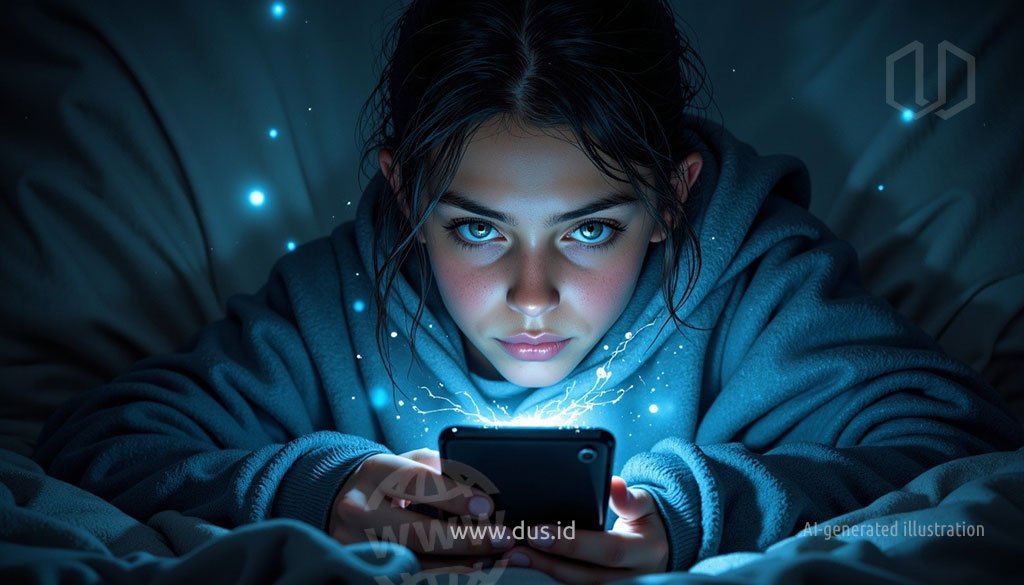
Di era di mana konektivitas digital menjadi napas kehidupan, kita sering kali menganggap remeh kehadiran teknologi. Ponsel pintar, tablet, dan laptop bukan lagi sekadar alat, melainkan perpanjangan tangan kita yang tak terpisahkan. Namun, di balik kemudahan yang ditawarkannya, ada sebuah fenomena psikologis yang secara halus mengikis pondasi hubungan antar manusia. Fenomena ini disebut “technoference”, sebuah istilah yang kini menjadi cermin realitas sosial kita.
Secara sederhana, technoference adalah interupsi atau gangguan yang disebabkan oleh perangkat teknologi, khususnya ponsel, dalam interaksi tatap muka. Ini bukan sekadar momen sesekali, melainkan pola perilaku berulang yang merampas perhatian dan kehadiran kita dari orang yang berada di hadapan kita. Bayangkan skenario umum: Anda sedang berbagi cerita penting dengan pasangan, namun perhatiannya terbagi karena notifikasi media sosial. Atau, Anda sedang menikmati makan malam keluarga, tetapi separuh anggota keluarga sibuk dengan layar ponsel masing-masing. Momen-momen inilah yang, secara kolektif, membentuk badai sunyi yang merusak ikatan emosional kita.
Anatomi Dampak Negatif Technoference
Dampak technoference jauh melampaui sekadar gangguan kecil. Para psikolog kini melihatnya sebagai akar dari berbagai masalah hubungan, baik dalam konteks romantis, persahabatan, maupun keluarga.
Erosi Komunikasi Autentik: Komunikasi yang sehat tidak hanya tentang kata-kata. Ia mencakup isyarat non-verbal: kontak mata, ekspresi wajah, dan bahasa tubuh. Ketika kita teralihkan oleh ponsel, kita kehilangan kemampuan untuk “membaca” orang lain secara utuh. Akibatnya, percakapan menjadi dangkal, kehilangan kedalaman emosional, dan membuat kita merasa tidak benar-benar terhubung. Kita mungkin mendengar, tapi tidak benar-benar mendengarkan.
Meningkatnya Perasaan Diabaikan dan Rasa Kesepian: Saat seseorang di hadapan kita lebih memilih berinteraksi dengan dunia digital, kita secara alami merasa kurang penting. Perasaan ini, yang dikenal sebagai “phubbing” (kombinasi dari phone dan snubbing), mengirimkan pesan yang merusak: “Apa yang ada di ponsel lebih menarik daripada dirimu.” Seiring waktu, perasaan diabaikan ini dapat memicu rasa kesepian, bahkan ketika kita berada di tengah-tengah orang yang kita cintai, dan secara signifikan menurunkan harga diri.
Timbulnya Kecurigaan dan Ketidakpercayaan: Dalam hubungan romantis, technoference dapat memicu kecurigaan. Salah satu pasangan mungkin bertanya-tanya, “Siapa yang sedang ia ajak bicara?”, “Mengapa ia selalu menyembunyikan layarnya?”, atau “Apakah ia sedang menyembunyikan sesuatu?”. Keraguan-raguan ini dapat mengikis kepercayaan dan menciptakan jurang emosional yang sulit dijembatani.
Siklus Negatif dan Penurunan Kepuasan Hubungan: Penelitian konsisten menunjukkan bahwa pasangan yang mengalami technoference cenderung melaporkan tingkat kepuasan hubungan yang lebih rendah. Ini menciptakan lingkaran setan: gangguan teknologi menyebabkan ketidakpuasan, yang kemudian memicu konflik, dan akhirnya mendorong salah satu atau kedua belah pihak untuk mencari kenyamanan atau distraksi kembali di dunia digital, memperburuk masalah awal.
Mengapa Kita Terjebak dalam Perilaku Ini? Perspektif Psikologis
Memahami mengapa technoference begitu merajalela adalah kunci untuk mengatasinya.
Dopamine dan Reward System: Setiap notifikasi —baik itu like, komentar, atau pesan masuk— memicu pelepasan dopamin di otak kita. Hormon ini menciptakan sensasi kesenangan dan membuat kita ketagihan, mendorong kita untuk terus-menerus mengecek ponsel demi mendapatkan “hadiah” kecil berikutnya. Ini adalah siklus adiktif yang sulit dihentikan.
Fear of Missing Out (FOMO): Di balik dorongan untuk terus terhubung, ada ketakutan mendalam akan ketinggalan informasi, tren, atau peristiwa penting. Kita takut menjadi “orang terakhir yang tahu” dan merasa bahwa dunia digital bergerak terlalu cepat untuk kita abaikan, bahkan untuk sesaat.
Mekanisme Koping yang Maladaptif: Bagi sebagian orang, penggunaan ponsel adalah cara untuk menghindari percakapan yang tidak nyaman, kesunyian yang canggung, atau bahkan konflik yang potensial. Perangkat digital menjadi “tameng” yang melindungi kita dari kerentanan emosional dalam interaksi tatap muka.
Jalan Keluar: Membangun Kembali Koneksi yang Nyata
Meskipun technoference adalah tantangan di era digital, kita tidak sepenuhnya tak berdaya. Kesadaran adalah langkah pertama, dan tindakan nyata adalah kunci untuk memulihkan koneksi yang otentik.
Tetapkan Batasan Digital (Digital Boundaries): Buatlah kesepakatan dengan pasangan atau keluarga tentang “zona bebas ponsel”. Misalnya, tidak ada ponsel di meja makan, saat kencan, atau di kamar tidur. Aturan ini menciptakan ruang suci di mana interaksi tatap muka menjadi satu-satunya fokus.
Jadwalkan Waktu untuk Unplug: Rencanakan kegiatan yang tidak melibatkan teknologi, seperti berjalan-jalan, memasak bersama, atau bermain board game. Momen-momen ini memaksa kita untuk hadir sepenuhnya dan menikmati kebersamaan tanpa distraksi.
Latih Kehadiran (Mindfulness): Saat berinteraksi, praktikkan mindfulness. Alih-alih terburu-buru merespons notifikasi, berikan perhatian penuh pada orang yang sedang berbicara. Rasakan momen itu sepenuhnya, dengarkan dengan hati, dan tanggapi dengan tulus.
Bicara Terbuka (Non-konfrontatif): Jika Anda merasa terabaikan, sampaikan perasaan Anda dengan cara yang konstruktif. Gunakan kalimat “Saya merasa…” daripada “Kamu selalu…”. Contohnya: “Saya merasa sedih ketika kita sedang makan malam, tapi kamu sibuk dengan ponsel. Rasanya seperti saya kurang penting.” Komunikasi yang jujur adalah jembatan untuk memahami dan berubah.
Pada akhirnya, technoference bukanlah sekadar istilah akademis, melainkan cerminan nyata dari cara kita berinteraksi di era digital ini. Ia mengundang kita untuk merenungkan pertanyaan penting: apakah kita benar-benar hadir untuk orang yang kita cintai? Apakah kenyamanan dari notifikasi dan feed media sosial sebanding dengan kehangatan komunikasi tatap muka yang otentik? Memutus lingkaran ini memang tidak mudah, namun ini adalah pilihan yang ada di tangan kita. Dengan kesadaran, empati, dan keberanian untuk meletakkan ponsel sejenak, kita bisa mulai membangun kembali jembatan emosional yang terkikis. Mari kita putuskan untuk lebih banyak terhubung dengan manusia, dan bukan hanya dengan perangkat kita. Sebab, di balik setiap layar, ada hubungan berharga yang menunggu untuk diselamatkan.
✎ Artikel ini pertama kali terbit pada 4 Agustus 2025.
♥ Suka ulasan DUS? Dukunganmu bantu kami terus menyajikan tulisan yang dalam, utuh, dan saksama.
TUBUH & NUTRISITubuh bekerja tanpa henti, bahkan ketika kita tidak menyadarinya. Jantung berdetak, sel-sel memperbaiki diri, makanan diubah menjadi energi, dan berbagai sistem biologis bekerja sama menjaga kehidupan tetap berjalan. Semakin memahami cara tubuh bekerja, semakin mudah membuat pilihan kecil yang membawa dampak besar bagi kesehatan dan kualitas hidup.
JIWASebagian besar keputusan yang kita ambil setiap hari dipengaruhi oleh sesuatu yang tidak terlihat: pikiran, emosi, keyakinan, dan hubungan dengan orang lain. Memahami dunia batin sering kali sama pentingnya dengan memahami dunia di sekitar kita.
SAINSRasa ingin tahu telah membawa manusia melintasi samudra, meneliti kehidupan mikroskopis, hingga mengirim wahana ke luar angkasa. Dunia masih penuh pertanyaan menarik, dan setiap penemuan baru sering kali membuka lebih banyak pertanyaan daripada jawaban.
TEKNOLOGIPerubahan besar sering datang tanpa banyak suara. Internet mengubah cara manusia berkomunikasi. Ponsel pintar mengubah cara bekerja. Kini kecerdasan buatan mulai mengubah cara berpikir dan menciptakan sesuatu. Memahami teknologi berarti memahami salah satu kekuatan yang paling memengaruhi kehidupan modern.
GAYA HIDUPHidup bukan hanya tentang bertahan, tetapi juga tentang menikmati perjalanan. Ada tempat baru untuk dijelajahi, cita rasa untuk dicicipi, keterampilan untuk dipelajari, dan pengalaman yang membuat hari-hari terasa lebih kaya serta berwarna.
BISNISSetiap usaha bermula dari sebuah gagasan. Sebagian tumbuh menjadi karier, sebagian berkembang menjadi bisnis, dan sebagian lainnya mengubah cara orang bekerja serta menciptakan nilai. Dunia profesional terus bergerak, menghadirkan tantangan sekaligus peluang bagi mereka yang siap belajar dan beradaptasi.
INTERAKTIFTidak semua hal harus dipelajari dengan cara yang sama. Kadang sebuah kuis membuka wawasan baru, sebuah kalkulator membantu mengambil keputusan, atau sebuah alat sederhana membuat informasi yang rumit menjadi lebih mudah dipahami. Karena terkadang cara terbaik untuk memahami sesuatu bukanlah dengan membacanya, melainkan dengan mencobanya sendiri.
Loading
Signing-in 3 seconds...
Signing-up 3 seconds...
All fields are required.
Accessibility
Accessibility modes
Epilepsy Safe Mode
Dampens color and removes blinks
This mode enables people with epilepsy to use the website safely by eliminating the risk of seizures that result from flashing or blinking animations and risky color combinations.
Visually Impaired Mode
Improves website's visuals
This mode adjusts the website for the convenience of users with visual impairments such as Degrading Eyesight, Tunnel Vision, Cataract, Glaucoma, and others.
Cognitive Disability Mode
Helps to focus on specific content
This mode provides different assistive options to help users with cognitive impairments such as Dyslexia, Autism, CVA, and others, to focus on the essential elements of the website more easily.
ADHD Friendly Mode
Reduces distractions and improve focus
This mode helps users with ADHD and Neurodevelopmental disorders to read, browse, and focus on the main website elements more easily while significantly reducing distractions.
Blindness Mode
Allows using the site with your screen-reader
This mode configures the website to be compatible with screen-readers such as JAWS, NVDA, VoiceOver, and TalkBack. A screen-reader is software for blind users that is installed on a computer and smartphone, and websites must be compatible with it.
Online Dictionary
Readable Experience
Content Scaling
Default
Text Magnifier
Readable Font
Dyslexia Friendly
Highlight Titles
Highlight Links
Font Sizing
Default
Line Height
Default
Letter Spacing
Default
Visually Pleasing Experience
Dark Contrast
Light Contrast
Monochrome
High Contrast
High Saturation
Low Saturation
Adjust Text Colors
Adjust Title Colors
Adjust Background Colors
Easy Orientation
Reading Guide
Stop Animations
Reading Mask
Cognitive Reading
Text to Speech
Virtual Keyboard
Navigation Keys
Voice Navigation
Accessibility Statement
dus.id
November 22, 2026
Compliance status
We firmly believe that the internet should be available and accessible to anyone, and are committed to providing a website that is accessible to the widest possible audience,
regardless of circumstance and ability.
To fulfill this, we aim to adhere as strictly as possible to the World Wide Web Consortium’s (W3C) Web Content Accessibility Guidelines 2.1 (WCAG 2.1) at the AA level.
These guidelines explain how to make web content accessible to people with a wide array of disabilities. Complying with those guidelines helps us ensure that the website is accessible
to all people: blind people, people with motor impairments, visual impairment, cognitive disabilities, and more.
This website utilizes various technologies that are meant to make it as accessible as possible at all times. We utilize an accessibility interface that allows persons with specific
disabilities to adjust the website’s UI (user interface) and design it to their personal needs.
Additionally, the website utilizes an AI-based application that runs in the background and optimizes its accessibility level constantly. This application remediates the website’s HTML,
adapts Its functionality and behavior for screen-readers used by the blind users, and for keyboard functions used by individuals with motor impairments.
If you’ve found a malfunction or have ideas for improvement, we’ll be happy to hear from you. You can reach out to the website’s operators by using the following email
Screen-reader and keyboard navigation
Our website implements the ARIA attributes (Accessible Rich Internet Applications) technique, alongside various different behavioral changes, to ensure blind users visiting with
screen-readers are able to read, comprehend, and enjoy the website’s functions. As soon as a user with a screen-reader enters your site, they immediately receive
a prompt to enter the Screen-Reader Profile so they can browse and operate your site effectively. Here’s how our website covers some of the most important screen-reader requirements,
alongside console screenshots of code examples:
Screen-reader optimization: we run a background process that learns the website’s components from top to bottom, to ensure ongoing compliance even when updating the website.
In this process, we provide screen-readers with meaningful data using the ARIA set of attributes. For example, we provide accurate form labels;
descriptions for actionable icons (social media icons, search icons, cart icons, etc.); validation guidance for form inputs; element roles such as buttons, menus, modal dialogues (popups),
and others. Additionally, the background process scans all the website’s images and provides an accurate and meaningful image-object-recognition-based description as an ALT (alternate text) tag
for images that are not described. It will also extract texts that are embedded within the image, using an OCR (optical character recognition) technology.
To turn on screen-reader adjustments at any time, users need only to press the Alt+1 keyboard combination. Screen-reader users also get automatic announcements to turn the Screen-reader mode on
as soon as they enter the website.
These adjustments are compatible with all popular screen readers, including JAWS and NVDA.
Keyboard navigation optimization: The background process also adjusts the website’s HTML, and adds various behaviors using JavaScript code to make the website operable by the keyboard. This includes the ability to navigate the website using the Tab and Shift+Tab keys, operate dropdowns with the arrow keys, close them with Esc, trigger buttons and links using the Enter key, navigate between radio and checkbox elements using the arrow keys, and fill them in with the Spacebar or Enter key.Additionally, keyboard users will find quick-navigation and content-skip menus, available at any time by clicking Alt+1, or as the first elements of the site while navigating with the keyboard. The background process also handles triggered popups by moving the keyboard focus towards them as soon as they appear, and not allow the focus drift outside it.
Users can also use shortcuts such as “M” (menus), “H” (headings), “F” (forms), “B” (buttons), and “G” (graphics) to jump to specific elements.
Disability profiles supported in our website
Epilepsy Safe Mode: this profile enables people with epilepsy to use the website safely by eliminating the risk of seizures that result from flashing or blinking animations and risky color combinations.
Visually Impaired Mode: this mode adjusts the website for the convenience of users with visual impairments such as Degrading Eyesight, Tunnel Vision, Cataract, Glaucoma, and others.
Cognitive Disability Mode: this mode provides different assistive options to help users with cognitive impairments such as Dyslexia, Autism, CVA, and others, to focus on the essential elements of the website more easily.
ADHD Friendly Mode: this mode helps users with ADHD and Neurodevelopmental disorders to read, browse, and focus on the main website elements more easily while significantly reducing distractions.
Blindness Mode: this mode configures the website to be compatible with screen-readers such as JAWS, NVDA, VoiceOver, and TalkBack. A screen-reader is software for blind users that is installed on a computer and smartphone, and websites must be compatible with it.
Keyboard Navigation Profile (Motor-Impaired): this profile enables motor-impaired persons to operate the website using the keyboard Tab, Shift+Tab, and the Enter keys. Users can also use shortcuts such as “M” (menus), “H” (headings), “F” (forms), “B” (buttons), and “G” (graphics) to jump to specific elements.
Additional UI, design, and readability adjustments
Font adjustments – users, can increase and decrease its size, change its family (type), adjust the spacing, alignment, line height, and more.
Color adjustments – users can select various color contrast profiles such as light, dark, inverted, and monochrome. Additionally, users can swap color schemes of titles, texts, and backgrounds, with over seven different coloring options.
Animations – person with epilepsy can stop all running animations with the click of a button. Animations controlled by the interface include videos, GIFs, and CSS flashing transitions.
Content highlighting – users can choose to emphasize important elements such as links and titles. They can also choose to highlight focused or hovered elements only.
Audio muting – users with hearing devices may experience headaches or other issues due to automatic audio playing. This option lets users mute the entire website instantly.
Cognitive disorders – we utilize a search engine that is linked to Wikipedia and Wiktionary, allowing people with cognitive disorders to decipher meanings of phrases, initials, slang, and others.
Additional functions – we provide users the option to change cursor color and size, use a printing mode, enable a virtual keyboard, and many other functions.
Browser and assistive technology compatibility
We aim to support the widest array of browsers and assistive technologies as possible, so our users can choose the best fitting tools for them, with as few limitations as possible. Therefore, we have worked very hard to be able to support all major systems that comprise over 95% of the user market share including Google Chrome, Mozilla Firefox, Apple Safari, Opera and Microsoft Edge, JAWS and NVDA (screen readers).
Notes, comments, and feedback
Despite our very best efforts to allow anybody to adjust the website to their needs. There may still be pages or sections that are not fully accessible, are in the process of becoming accessible, or are lacking an adequate technological solution to make them accessible. Still, we are continually improving our accessibility, adding, updating and improving its options and features, and developing and adopting new technologies. All this is meant to reach the optimal level of accessibility, following technological advancements. For any assistance, please reach out to